Safaricom Explains How to Reverse Airtime Bought by Mistake via M-PESA
Share

Safaricom has explained how customers can reverse airtime bought accidentally from their M-PESA wallets, including cases where part of the airtime has already been used.
The clarification comes after Kenyans raised concerns about mistakenly purchasing large amounts of airtime when they intended to send money through M-PESA.
One customer contacted Safaricom on X after her mother accidentally bought airtime worth Ksh5,000 instead of sending the money through M-PESA.
“@Safaricom_Care, my mum made a mistake and bought airtime worth 5k instead of sending it as M-PESA. Kindly help me on how I can reverse this,” the customer wrote.
Safaricom responded by directing her to its self-service reversal process.
“Hi @mama_hawi, for self-service reversal, forward the M-PESA message you receive to 456 (toll free),” Safaricom Care said.
The telecommunications company added that customers facing challenges can provide the M-PESA transaction ID for further assistance.
Customers Can Reverse Airtime Back to M-PESA
Safaricom allows customers to reverse airtime purchased from M-PESA back into their M-PESA wallets.
However, the process becomes more complicated when the customer has already used part of the airtime.
Safaricom explained that customers can still request a reversal in such cases, provided they first replace the amount of airtime they have used.
This includes airtime used to make calls, pay for subscriptions, or clear an outstanding Okoa Jahazi debt.
“Please make sure you (the affected customer) top up the amount you have used (to make calls, pay a subscription fee, or Okoa debt) back to the original M-Pesa transaction amount, then forward the original message to 456,” Safaricom said.
For example, if a customer mistakenly buys Ksh5,000 worth of airtime and later uses Ksh500, they need to top up the airtime by Ksh500 before requesting the reversal.
The airtime balance should therefore return to the original Ksh5,000 transaction amount before the customer sends the original M-PESA confirmation message to 456.
Also Read: Safaricom Introduces New Phone Numbers
How to Reverse Mistaken Airtime Purchase
Customers who accidentally purchase airtime from M-PESA can follow the reversal process outlined by Safaricom.
First, they should confirm the original M-PESA transaction message for the airtime purchase.
If they have used part of the airtime, they should top up the amount used so that the airtime balance returns to the original transaction amount.
They should then forward the original M-PESA transaction message to 456, which Safaricom provides as a toll-free self-service reversal number.
Safaricom will send a response confirming that the reversal request has been initiated.
Also Read: Court Issues Directive on Sacking of Safaricom Boss
How Long Does the Reversal Take?
Safaricom says the response to an airtime reversal request should be immediate.
Once the reversal is successfully processed, the money is returned to the customer’s M-PESA wallet.
Customers who experience difficulties with the process can contact Safaricom for assistance and provide the relevant M-PESA transaction ID.
Follow our WhatsApp channel for instant news updates.
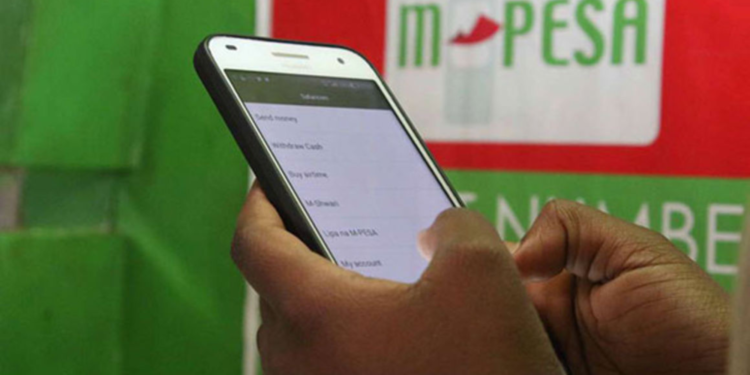
Photo of someone using MPESA mobile services. PHOTO/Grok