
How to Recover a Hacked WhatsApp Account: Step-by-Step Guide
Share


A hacked WhatsApp account can leave users unable to access their conversations while another person gains control of the account.
Fortunately, WhatsApp provides a recovery process that allows users to regain access by registering their phone number again.
Criminals can take over an account after obtaining the six-digit registration code that WhatsApp sends when a user tries to register a phone number.
The platform warns users never to share this code, even with friends or family, because another person could use it to register the account on a different device.
How to Recover a Hacked WhatsApp Account
For anyone who has lost access, the platform recommends registering the account again on the primary phone.
The process requires the phone number connected to the account and a six-digit code delivered through SMS or a phone call, using these steps:
- Open WhatsApp and tap Log back in.
- Select Continue.
- Enter the full international phone number linked to the account.
- Tap Next and confirm the number if prompted.
- Enter the six-digit code received through SMS or a phone call.
After the correct code is entered, the app automatically logs out devices that were using the account.
Importantly, keep the registration code private throughout the process.
“You should never share your registration code with others, not even friends or family,” WhatsApp states.
What If Two-Step Verification Was Enabled?
Some accounts may request a two-step verification PIN after the owner enters the six-digit registration code.
This can happen if two-step verification was already active or if someone who had taken over the account enabled the feature.
Anyone who does not know the PIN may need to wait seven days before trying again, according to WhatsApp.
However, the platform says entering the six-digit SMS code still logs out the other person using the account.
Also Read: How to Advertise on WhatsApp Status and Reach More Customers
Check Linked Devices After Recovery
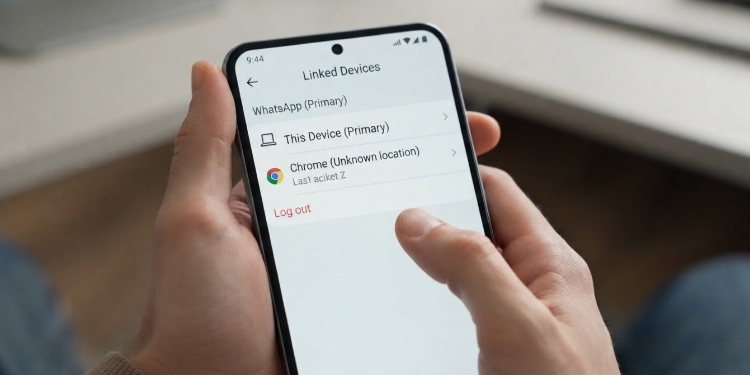
Once access returns, checking linked devices can help identify sessions the account holder does not recognise.
The platform advises users to review linked devices regularly and log out of unfamiliar ones.
On the primary phone:
- Open the app and go to Linked devices.
- Review the devices connected to the account.
- Select any unfamiliar device.
- Tap Log out.
The app also warns that linking an account through unofficial apps or websites can expose the account to security and privacy risks.
Why Can a WhatsApp Account Be Hacked?
One common method involves the six-digit registration code. If someone obtains the code, they can use it to register the phone number on another device, which can cause the original user to lose access to the account.
Another risk comes from linked devices. Users may unknowingly leave a WhatsApp Web, desktop or companion-device session connected, allowing another person to maintain access to the account.
WhatsApp therefore recommends that users regularly check their linked devices and remove any they do not recognise.
Meanwhile, unofficial WhatsApp apps and websites can create additional security risks because the platform says it cannot validate their security or privacy practices.
Also Read: Brokies React as TikTok Permanently Bans Onyango Tate’s Account
How to Protect a WhatsApp Account
After recovering the account, users can take additional steps to reduce the risk of another takeover. The platform provides several security features that can be enabled from the app.
Users should consider the following:
- Turn on two-step verification and create a PIN that only they know.
- Add an email address to the account for additional authentication and account-related recovery options where available.
- Set up a passkey using the security method available on the phone, such as a fingerprint, face scan or screen lock.
- Enable app lock to require additional authentication before WhatsApp can be opened.
- Secure the app’s backups with end-to-end encrypted backup protection using a password, passkey or 64-digit encryption key.
Importantly, receiving a platform registration code does not necessarily mean that an account has been hacked.
In some cases, another person may have entered the wrong phone number while trying to register their own account.
Even so, users should never share an unexpected verification code with anyone.
Anyone who suspects that another person has taken control of their account can follow the platform’s recovery process by registering their phone number again using the six-digit code.
Acting quickly can help users regain access to their accounts. They should also check their linked devices and strengthen their account’s security to reduce the risk of another takeover.
Follow our WhatsApp channel for instant news updates
A photo of a WhatsApp user trying to log out of an unfamiliar linked device. PHOTO/ CHATGPT