
How to Remove Your Number from Truecaller Permanently
Share

Truecaller users retain full control over their digital presence on the platform. At any point, an account can be deactivated or deleted by navigating to the Privacy Center within the app’s settings, ensuring a seamless opt-out for those prioritizing privacy.
In an era where privacy is key in most of the countries and people don’t want their numbers to be searchable in the Truecaller app, they can unlist it, but taking control of their mobile identity is better!
If you don’t like the name Truecaller shows for your number, you can change that without removing your number from Truecaller, all in a few simple taps!
For Android Users:
- Open the Truecaller app.
- Tap your profile icon (top left) and go to Settings.
- Select Privacy Center.
- Tap Deactivate and confirm.
For iPhone Users:
- Open the Truecaller app.
- Tap your profile icon and go to Settings.
- Select Privacy Center.
- Tap Deactivate Account (you’ll see a prompt about data deletion; hit “Yes”).
Also Read: Orengo Rejects ODM Orders, Reinstates Sifuna as Secretary General
Please note that it may take up to 24 hours before the entire information gets deleted from our system.
The “Unlist” Request
Deactivating the app stops you from using Truecaller, but your number stays in their system because other people may have you saved in their contacts. To fix this, you have to use the official Unlisting Page.
- Go to the Unlisting page on your Truecaller.
- Enter your phone number with the correct country code (e.g., +1 for the US, +44 for the UK).
- Select a reason for unlisting (any honest reason works).
- Complete the CAPTCHA
- Click Unlist.
According to Truecaller, by unlisting your number, here’s what you lose
- Unlisting can’t be reversed
- People won’t know when you are calling
- No spam protection and caller identification
- No One-tap sign-in on third-party apps
- No Call Reason to find out why someone is calling
Also Read: Sifuna Finally Decides Whether to Attend ODM’s NDC Meeting
How to change your name in Truecaller?
If your number is showing a wrong name in Truecaller, you can correct it yourself (if you have Truecaller installed).
If you are a Truecaller user, you can change your name within the app itself. Here are the instructions:
On Android:
Step 1: Open the app and tap on the profile icon in the top left corner
Step 2: Tap ‘Edit profile’.
Step 3: Set the correct name on Truecaller
On iPhone:
Step 1: Open the app and tap on the profile icon in the top left corner
Step 2: Tap ‘Edit profile’.
Step 3: Set the correct name on Truecaller
Follow our WhatsApp channel for instant news updates
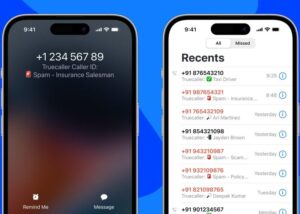
Truecaller Live Caller ID for iPhone Users. PHOTO/Courtesy