
Do WhatsApp Contact Colours Have Hidden Meanings? Here Is the Answer
Share

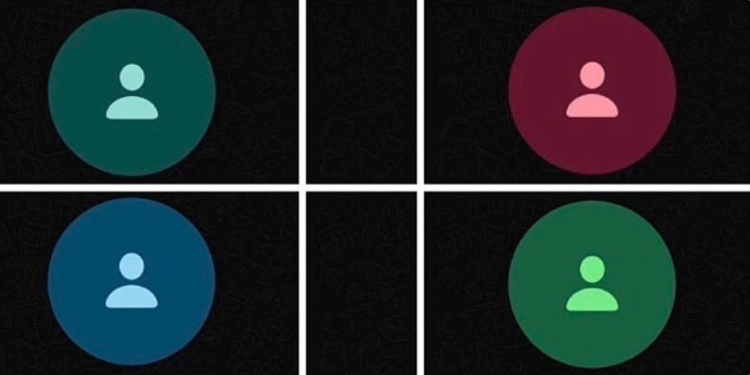
WhatsApp users have been left questioning whether the colours on contact icons reveal hidden information about their relationships, including whether someone has saved their number, blocked them or stopped communicating with them.
The claims have gained traction on X, formerly Twitter, where viral posts suggest that different shades of green, blue and red carry specific meanings about users’ interactions.
However, WhatsApp’s official documentation does not support these claims.
A viral post originally shared in Indonesian claims that four colours appearing on WhatsApp contact icons have specific meanings.
According to the post, dark green indicates that someone has not saved your number in their contacts, while blue supposedly means that the person blocked you at some point.
The post further claims that red appears on contacts users rarely communicate with, while light green represents people they previously chatted with frequently but now contact less often.
The claims have prompted some users to examine their WhatsApp contact lists more closely, wondering whether the colours reveal information about their personal interactions.
A post discussing the different colours attracted millions of views, helping spread the claims across social media.
One user questioned the feature, asking: “Wait … these WhatsApp colours actually mean something?”
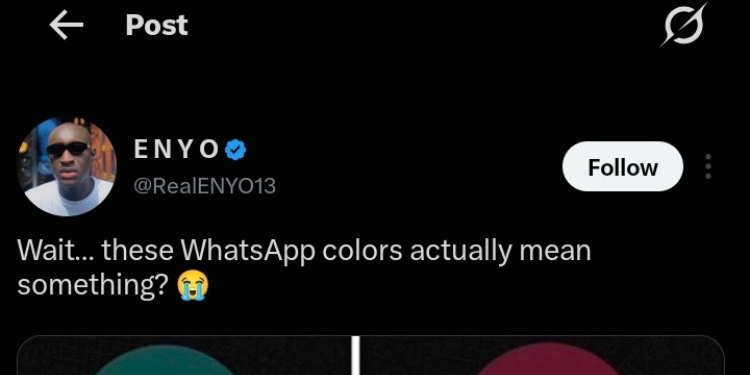
Photo of a screenshot from an X user asking if the WhatsApp displays actually mean something
PHOTO/Screen grab
What WhatsApp Has Said About Its Colours
There is no official evidence that WhatsApp assigns these colours to contacts based on whether they have saved your number, previously blocked you or how frequently you communicate.
In a fact-check published by The Informant247 on June 29, 2026, the publication reported that it contacted WhatsApp to verify the viral claims.
According to the report, WhatsApp responded: “This is completely false.”
The fact-check concluded that the colours of default contact icons do not reveal whether someone has saved your number, blocked you or changed how frequently they communicate with you.
WhatsApp’s official Help Center explains how users can manage their profile photos and privacy settings. However, it does not document any system linking default contact-icon colours to these personal interactions.
Also Read:WhatsApp to Start Charging Kenyan Businesses Ksh0.52 Per Message From October 1
WhatsApp’s Design Changes May Explain the Confusion
The debate comes after WhatsApp introduced several changes to the appearance of its platform. In an article published on May 9, 2024, Android Authority reported on WhatsApp’s refreshed design, which included a new colour palette, updated icons and illustrations, and changes to the chat background.
The report cited WhatsApp’s explanation that the redesign was intended to keep the platform looking “fresh, simple, and approachable.”
The changes included a more consistent green colour palette, increased use of neutral colours and a darker dark mode designed to reduce eye strain in low-light environments.
WhatsApp also updated its icons with a more rounded, outlined style and refreshed the doodle pattern used in the default chat background.
Android Authority further reported that the Android app was getting a bottom navigation bar, while the iOS version was receiving a redesigned attachment layout. These changes formed part of WhatsApp’s efforts to improve the app’s appearance and usability.
Also Read:How to Recover a Hacked WhatsApp Account: Step-by-Step Guide
WhatsApp Allows Users to Customise Chat Colours
Beyond the general redesign, WhatsApp has introduced options that allow users to customise the appearance of their conversations.
According to WhatsApp’s official Help Center, users can select different chat themes and colours, including pink, blue, purple and red. They can also change their chat wallpaper and adjust the appearance of individual conversations.
These settings are separate from the default colours that may appear on contact icons when a person does not have a profile photo.
The platform’s documentation does not establish that these default icons communicate a contact’s feelings, messaging habits or privacy choices.
Follow our WhatsApp channel for instant news updates
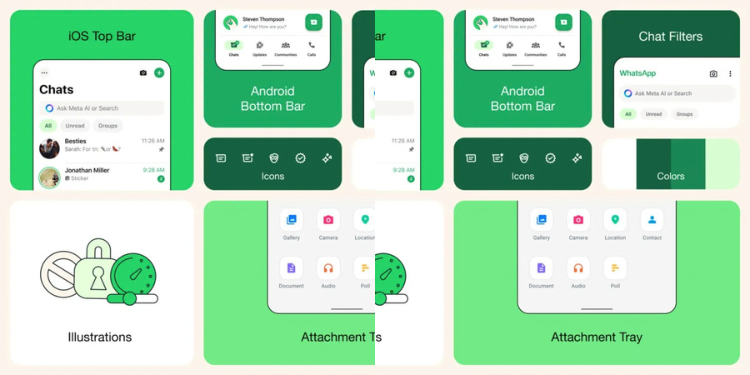
Photo of WhatsApp chat themes and colours
PHOTO/WhatsApp