Share
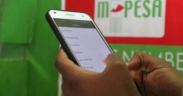
M-PESA transactions comprise a variety of mobile money services that enable users to manage their finances conveniently.
These services include sending and receiving money, depositing and withdrawing cash through authorised agents, and making payments for goods and services using Buy Goods or PayBill numbers.
Users can also purchase airtime, transfer money between M-PESA and bank accounts, and access savings and loan services such as Fuliza, M-Shwari, and KCB M-PESA.
Additionally, M-PESA facilitates international money transfers, allowing users to send and receive funds across borders.
However, there are times when users mistakenly make transactions, some of which Safaricom cannot assist in reversing.
This article focuses on the types of transactions that Safaricom cannot help users reverse.
An M-PESA reversal is the process by which money that was sent or received incorrectly is returned to the original sender’s account.
This can occur in cases such as sending money to the wrong M-PESA number, paying the incorrect PayBill or Till number, or making accidental double payments.
When a reversal is requested, Safaricom investigates the transaction, confirms the error, and credits the funds back to the sender’s account.
Types of M-Pesa Reversal Transactions That Cannot Be Handled by Safaricom
Certain transactions cannot be reversed by Safaricom, including:
- Funds Already Withdrawn or Redeemed by the Recipient: Once the incorrect recipient withdraws the money, it becomes impossible to reverse the transaction. Safaricom cannot recover spent funds. In this case, users are advised to report the matter to the police.
- Airtime Purchases: Buying airtime mistakenly through bank integration (e.g., via a bank app or USSD) is considered final on Safaricom’s side. Users should contact their bank, as it is not an M-Pesa-initiated transaction. Additionally, Safaricom cannot reverse transactions involving airtime purchases or money sent directly from a bank account to an M-PESA number.
Also Read: M-PESA Charges: Full Breakdown for Withdrawals and Transfers in 2026
- Transactions Older than the Reversal Window: Transactions must be reported within one month, as automated reversals via SMS or the M-PESA app are only available within 24 hours. Older transactions require customer care and may not be reversed.
- Paybill or Till Payments to Merchants/Businesses: These transactions are more complex, as a reversal requires cooperation from the merchant or mediation. Safaricom can facilitate this process, but cannot unilaterally reverse the transaction if the merchant disputes it or if the funds have already been processed.
- International or GlobalPay (Virtual Visa Card) Payments: Online payments to merchants including Netflix or Amazon) are considered final. Disputes must go through the merchant first. Safaricom can assist only after escalation, but there is no automatic reversal.
Also Read: How to Reverse Wrong M-PESA Transaction
How to Conduct Reversal
- Do it Yourself Method
A DIY (Do-It-Yourself) reversal allows you to reverse funds sent via M-PESA from the recipient’s account (Party B) back to the sender’s account (Party A), without needing to call customer care.
- Request a Reversal via SMS (456)
Forward the original M-PESA transaction message to 456 via SMS.
The system will automatically check the following:
- The request is from the sender or recipient of the funds.
- The request is made within 24 hours of the transaction.
- The recipient has enough balance to allow a full or partial reversal.
- The recipient’s number is not blacklisted from reversals.
- A maximum of 3 reversal attempts is allowed per transaction.
You will receive an SMS confirming:
- Whether the reversal request was successful.
- The expected time it will take to complete the reversal.
Follow our WhatsApp Channel and WhatsApp Community for instant news updates

Photo of Safaricom CEO Peter Ndegwa. PHOTO/Safaricom X
You Might also Like