
How to Start a Podcast With Just Your Phone: A Simple Guide for Beginners
Share

September 30 marks International Podcast Day, an annual celebration of podcasts and the people who create and listen to them.
The observance began as National Podcast Day in 2014 before becoming an international event in 2015.
Anyone planning to start a podcast can use a smartphone to record their first episode. The device provides basic tools needed to get started without requiring expensive equipment.
Spotify for Creators says creators can use their phone’s built-in voice recorder to record an episode before editing and publishing it.
Choose Topic of Your Podcast and Format
A clear topic makes it easier to plan episodes and decide whether to host the show alone or invite other people. Choose a format that suits the type of content you want to create.
Some options include:
- Hosting the podcast alone and speaking directly to your listeners.
- Inviting guests for interviews and having them share their views or experiences.
- Telling stories through each episode or exploring a particular experience.
- Having conversations with other hosts and discussing different topics.
At this stage, decide whether you want an audio-only podcast or one that includes video.
That choice will determine how you position your phone and prepare for recording.
Prepare Your Phone and Record
Once you have settled on the topic and format, prepare your phone for recording.
Spotify for Creators recommends using a phone’s built-in voice recorder as one way to get started.
Before recording, find a quiet place away from traffic, loud conversations, and other background noise.
Then, place your phone on a stable surface and check that it has enough battery and storage space.
For a better recording, make a short test recording and listen to it before starting the full episode.
If you plan to interview a guest, keep your questions or notes nearby so you can guide the conversation.
When everything is ready, open the voice recorder and begin recording. After the episode ends, save the original file before making any changes.

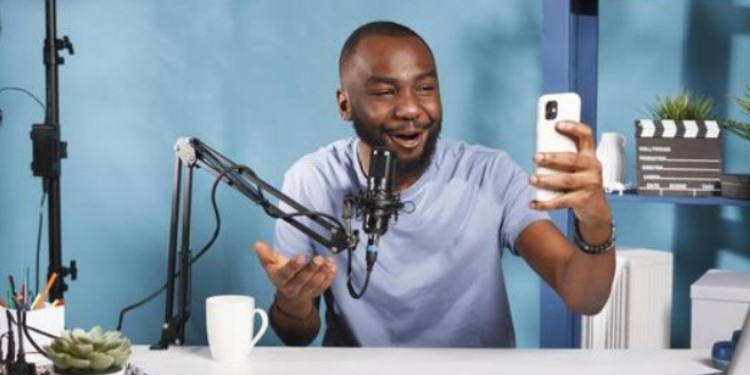
A photo shows a creator recording a podcast at home. PHOTO/ Shutterstock
Also Read: How to Recover a Hacked WhatsApp Account: Step-by-Step Guide
Edit Your First Episode
After recording, listen to the episode and identify sections that need changes.
You may find mistakes, long pauses or parts that you do not want to include in the final version.
Spotify for Creators says basic editing can include trimming the beginning and end of a recording.
For more advanced editing, creators can use tools such as Audacity, GarageBand, Adobe Audition and Ferrite.
During editing, you can:
- Remove mistakes and unnecessary pauses.
- Trim sections you do not want to use.
- Arrange different recordings where necessary.
- Add music or other audio elements.
However, check that you have the necessary rights before adding music, sound effects or other material created by someone else.
Finally, keep a copy of the original recording after completing the edit. You can use it as a backup if you need to make changes later.
Publish Your Podcast
With the episode edited, choose a platform where listeners can access it. Spotify for Creators provides tools for uploading podcast episodes, while YouTube also supports podcasts.
On YouTube, creators organise podcasts as playlists and upload individual episodes as videos, according to YouTube Help. To create a podcast through YouTube Studio:
- Open YouTube Studio.
- Select Create, then choose New podcast.
- Enter the podcast title and description.
- Add a square thumbnail.
- Select the visibility setting.
- Create the podcast and upload the episodes as videos.
Also Read: How to Advertise on WhatsApp Status and Reach More Customers
YouTube recommends placing full-length episodes in podcast playlists rather than Shorts or promotional clips.
Additionally, creators in supported locations can use RSS delivery, with Kenya included among the locations listed by YouTube.
Protect Your Original Content
As you publish your episodes, remember to keep your original recordings and other production files.
Kenya’s National Rights Registry allows copyright holders to register eligible works and access copyright certificates.
The registry covers different types of copyright works, including spoken-word and video works.
You can therefore keep copies of your recordings, edited episodes and other production files as part of your records.
Finally, upload the finished episode to your chosen platform and share it with your intended audience.
From there, you can continue recording and publishing new episodes using the same phone-based setup.
Follow our WhatsApp channel for instant news updates
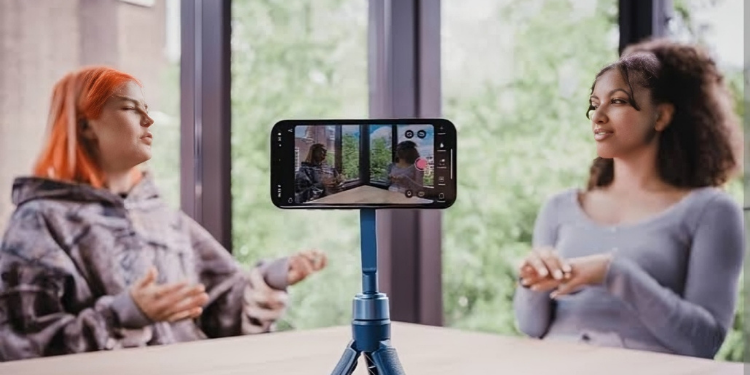
A photo of two creators recording a podcast using a phone. PHOTO/ Detail.