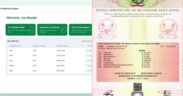
KNEC Releases Guidelines for Organizations Verifying Employees’ KCSE Certificates
Share

Organisations and institutions can now verify Kenya Certificate of Secondary Education (KCSE) certificates online through the Kenya National Examinations Council’s (KNEC) e-Certificate portal.
The platform enables employers, universities, government agencies and other institutions to authenticate KCSE certificates issued between 1989 and 2024 without having to visit KNEC offices.
How to Verify KCSE Certificates Online Through KNEC e-Certificate Portal
According to KNEC, organisations must first register as verifier organisations before they can begin submitting certificate verification requests.
To access the service, organisations should visit the KNEC website and click on the e-Certificate tab, or go directly to the e-Certificate portal.
From there, they should select Verifier Organisation, fill in the required details, and upload the organisation’s certificate of incorporation.
Also Read: Relief as KNEC Opens Online Portal for KCSE Certificates from 1994 to 2025
They will then request a One-Time Password (OTP), which is sent to the registered email address for verification.
Once the email has been confirmed, the account enters a Pending Approval stage as KNEC reviews the organisation’s details and incorporation documents.
After the review, applicants will receive an email notifying them whether their account has been approved or rejected.
If an application is rejected, the council will provide the reason, allowing the organisation to submit a corrected application.
Step 2: Submit a Certificate Verification Request
Once the account has been approved and the organisation logs in, users are taken to the Verifier Dashboard.
To begin the verification process, users should click New Verification Request and provide the candidate’s details, including:
- KCSE index number.
- Examination type (KCSE).
- Examination year (1989 to present).
- Candidate’s full name as it appears on the certificate.
In addition, KNEC noted that organisations must upload the candidate’s e-Certificate in PDF format.
The council further stated that multiple candidates can be added in a single verification request, with each candidate appearing as a separate entry.
Also Read: KNEC Announces Training for KJSEA and KCSE Examiners
Step 3: Make Payment
Before submitting the request, KNEC highlighted that organisations should confirm the email address where the verification report will be delivered and indicate the purpose of the verification.
Thereafter, they will then proceed to payment using either Wallet credits for instant processing where sufficient balance is available, or eCitizen through M-Pesa or any other supported payment method.
Step 4: Download the Verification Report
Once the verification process is complete, organisations will download the results from the portal after the system has generated a consolidated PDF report covering all candidates in the request, individual PDF reports for each candidate, and a summary list showing whether each certificate is Genuine or has been Referred to KNEC for further review.
The council has further advised organisations seeking additional guidance to download the Verifier Organisation User Guide available on the e-Certificate portal.
Follow our WhatsApp channel for instant news updates.

KNEC Extends Grades 4-5 SBA Upload Deadline to June 18. Credits FILES.