How to Repay Your HELB Loan via M-Pesa, Mobile App, and Service Portal
Share
The Higher Education Loans Board (HELB) has moved its loan repayment services from the traditional payment channels to the eCitizen payment gateway.
This change allows borrowers to make loan repayments more easily and conveniently.
Loan repayments can be made by individual beneficiaries or by employers on behalf of their employees.
HELB loan beneficiaries can use several repayment options, including the HELB Mobile App, the self-service portal, and the *642# USSD service.
The new system aims to provide a convenient, secure, and efficient way for borrowers to make payments anytime and from anywhere.
Undergraduate loan repayment begins one year after you finish your studies, or earlier if the Board decides to call back the loan.
However, you can make voluntary payments before or after you complete your studies to reduce your loan balance.
Repaying Your HELB Loan Using *642#
- Dial *642#
- Log in or Register
- Select Loan Repayment
- Select M-pesa
- Enter Amount
- Enter M-Pesa Pin
- You will receive SMS notifications from E-citizen and HELB.
Also Read: How to Download HELB Loan Statement and Manage Repayment
HELB Mobile App
- Download the HELB Mobile App from the Play Store.
- Log in if you have an account or register to create an account.
- Select the pay loan option.
- Confirm the Phone number and the amount to pay.
- Key in M-Pesa pin upon prompt.
- You will receive SMS notifications from E-citizen and HELB.
Self-Service Portal
- Log on to www.hef.co.ke
- Select the self-serve option on the HELB menu.
- Select Loan Repayment.
- Select Make Payment.
- Fill the amount to pay and click “Pay.”You will receive a notification to confirm. Once confirmed, the payment options will be displayed. Select your preferred payment option and follow the prompts. Once the payment has been made, click Complete
Also Read:What Students Should Know About HELB Scholarships and Bursaries
Employers Portal
- Log on to www.helb.co.ke
- Upload Remittance List
- Verify all the details entered and click “confirm” button.
- Upon confirmation print e-slip.
- Click on Payments on the Menu.
- Choose the remittance record you want to pay for then click on “Make Payment ” button.
- On the pop-up screen, key in the phone number that will receive eCitizen Notification and click “Process Payment”.
- Choose the desired mode and proceed to initiate payment.
- Once payment is completed, the record will be automatically updated.
- On the menu, click on statements to view updated and paid remittances.
- Generate the Receipt.
Loan Clearance After Full Repayment
Once a borrower completes repayment, HELB advises them to apply for a clearance certificate.
The certificate serves as official confirmation that the loan has been fully settled. HELB notes that only the board can confirm loan clearance status, not employers.
Over Repayment
If you overpay your loan, you will receive a refund from HELB and not your employer. To claim refund, you’re to fill in the Loan Recovery Enquiry form.
Follow our WhatsApp channel for instant news updates
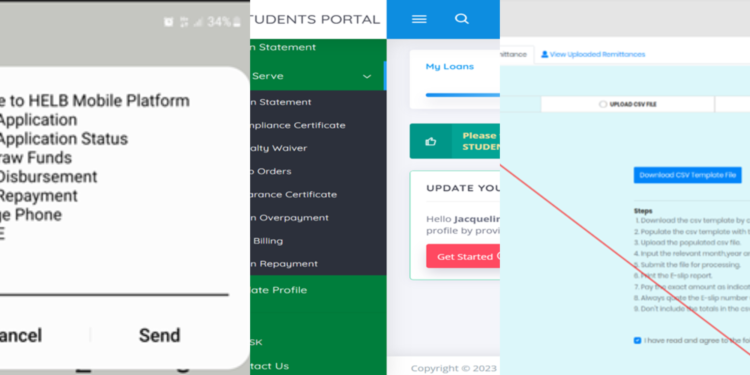
Methods to use when repaying your HELB loan
PHOTO/HELB