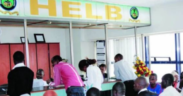
How Students Can Correct Errors in HELB Loan Applications
Share

The Higher Education Loans Board (HELB) provides financial support to thousands of Kenyan students who want to continue their education after secondary school.
HELB loans are available to students studying in public universities and approved private universities within the East African Community (EAC).
It is important to ensure that all the information in your HELB application is correct. Errors such as incorrect names, wrong bank details, missing documents, or inaccurate course information can delay the processing of your loan.
If you notice a mistake in your application, you can correct it by following the right steps. This guide explains how to fix common HELB application errors quickly and easily.
Common Errors in HELB Applications
Before seeking corrections, identify the exact mistake in your application. Some of the most common errors include:
- Misspelled names
- Wrong National ID number
- Incorrect phone number or email address
- Wrong institution or course details
- Incorrect bank account information
- Missing supporting documents
- Errors in guarantor details
Always compare the information in your application with your official documents, including your National ID, KCSE certificate, admission letter, and bank records.
Correct Errors Through the Portal
If the application window is still open and your application has not been fully processed, you may be able to update your details online.
Steps to Follow
- Log in to your HELB Student Portal account
- Navigate to the application section
- Open your ongoing application
- Check whether the system provides an “Edit” or “Update” option
- Correct the information and save the changes
- Review all details carefully before submitting again
Applicants are encouraged to make corrections as soon as they notice an error to avoid delays.
How to Update National ID Details
Students who initially created their accounts using KCSE index numbers can update their National ID details once they receive their IDs.
To do this:
- Log in to your account using the credentials you used during registration
- Follow the prompt requesting you to update your ID details
- Enter your National ID number and first name exactly as they appear on the ID card
- Validate the information and save the changes
What to Do If the Portal Is Closed
If the application period has ended or the application has already been processed, you may need to seek assistance directly from HELB.
Also Read: How To Get HELB Scholarships For Postgraduates Studies
Visit a HELB Office or Huduma Centre
Prepare the following:
- A letter explaining the mistake
- A copy of your National ID
- Supporting documents showing the correct information
- Your admission letter or course transfer documents, if applicable
- Bank documents, if you need to update bank details
Submit the documents at a HELB office or a Huduma Centre that offers HELB services.
Ensure All Required Documents Are Attached
Many applications are delayed because they are marked as defective.
Your application may be considered defective if:
- Required signatures are missing
- Important supporting documents are not attached
- You submit incomplete forms
- Required stamps are missing
Before submission, verify that every required document has been uploaded or attached correctly.
Also Read: Can Employed Students Still Qualify for HELB Funding?
Contact HELB for Assistance
If you cannot correct the error online, contact HELB for guidance.
You should have the following information ready:
- Full name
- National ID number
- Application reference number
- A clear description of the error
Keep records of any emails, messages, or reference numbers provided during your communication with HELB.
Follow Up on Your Application
After requesting a correction, continue monitoring your application status through the HELB portal.
Check whether:
- The correction has been updated
- Your application status changes
- Additional information is requested
Prompt follow-up can help you identify and resolve any remaining issues before loan disbursement.
Follow our WhatsApp channel for instant news updates

How to Correct Errors in HELB Loan Applications
PHOTO/HELB