How to Upload Passport Photos and Documents on eCitizen for Passport Application
Share
Applying for a passport through the eCitizen platform requires careful attention when uploading photos and supporting documents.
To ensure a smooth process, applicants must follow official immigration guidelines closely and avoid common mistakes that often lead to rejection or delays.
To start, visit the official immigration portal and log into your eCitizen account using your credentials.
After logging in, proceed to the passport application section and choose the correct application type based on your situation.
From there, the system guides you step by step through personal details, next of kin information and eventually the document upload stage.
As you move to the upload section, prepare all files in advance to avoid interruptions or errors during submission.
Also Read: How to Book an Appointment for Passport Application in Kenya via eCitizen
Passport Photo Requirements
Before uploading your passport photo, confirm that it meets all official specifications to prevent automatic rejection:
- Use a recent colour photo taken within the last six months.
- Ensure the background remains plain white without shadows or visible objects.
- Face the camera directly while maintaining a neutral facial expression.
- Keep your eyes open and fully visible without hair or glasses blocking them.
- Avoid wearing head coverings unless you follow approved religious guidelines.
- Do not edit, filter, or digitally alter the image in any way.
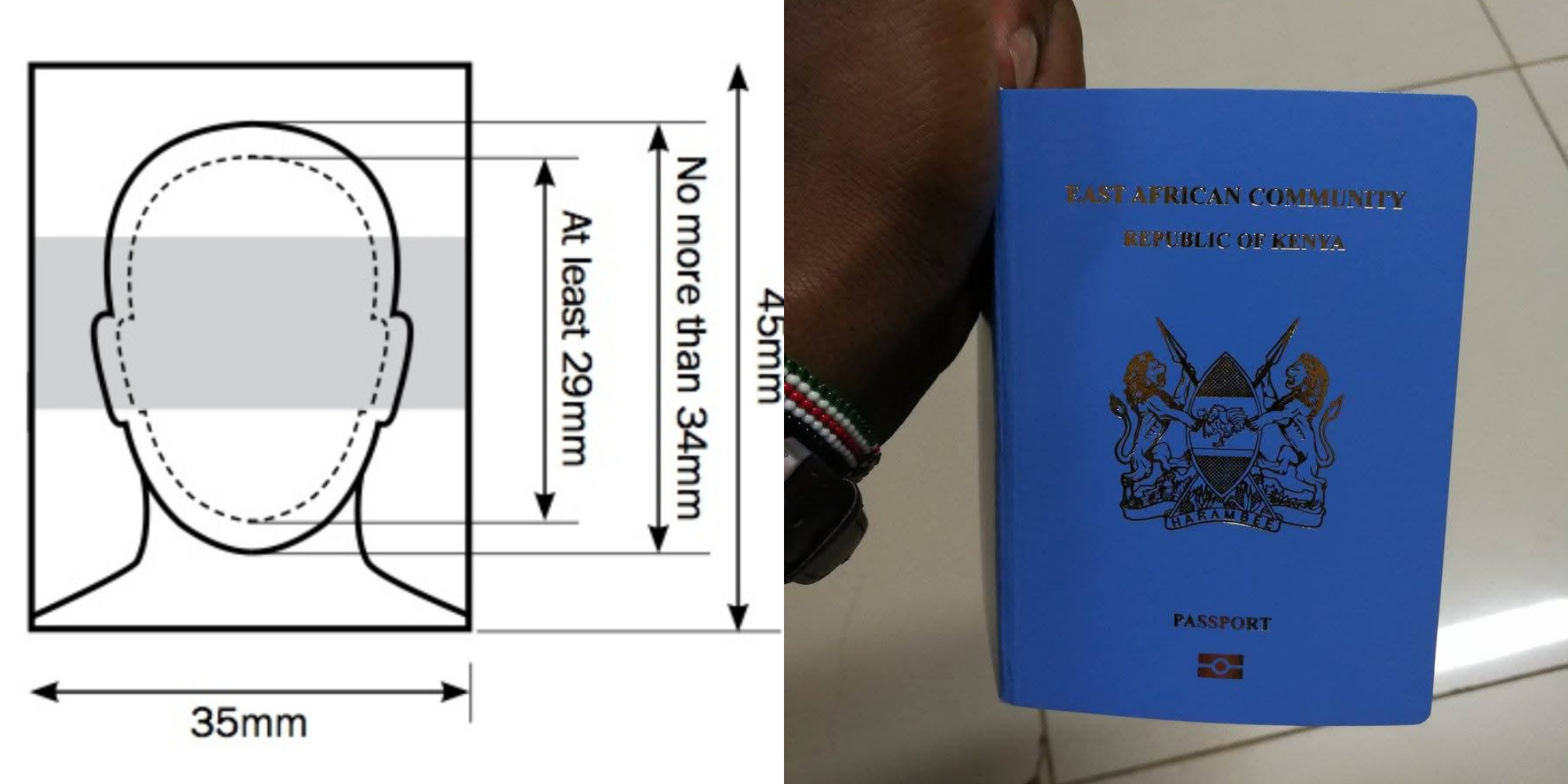
- Most importantly, set the photo size to exactly 5.5 cm by 5.5 cm, which equals 207 by 207 pixels for digital uploads.
- Position your face to occupy about seventy to eighty percent of the image space.
By following these steps carefully, you reduce the risk of rejection at the system validation stage.
Also Read: How to Expedite Passport Processing in Kenya: Fast Track Service Explained
Uploading Supporting Documents
After preparing your passport photo, proceed to upload all required supporting documents correctly and in the right sections:
- Begin with a clear scanned copy of your national identification card or birth certificate.
- Then include a recommender’s ID copy if your application category requires one.
- If applying for a minor, add a signed consent letter from a parent or guardian.
- Upload any additional documents requested within the system prompts.
While uploading, make sure each document appears complete, uncropped nd easy to read. In addition, upload files individually in their designated slots to avoid confusion during verification.
Once you finish uploading everything, take time to review all entries and confirm that every detail appears accurate.
After that, submit the application, proceed with payment and book your appointment if required.
By following each step in sequence and meeting all technical requirements, you significantly improve your chances of a successful and delay-free passport application process.
Follow our WhatsApp channel for instant news updates
A photo collage of PS Belio Kipsang of State Department for Immigration and Citizen services at previous event and Kenyan passports. PHOTO/ Kipsang X/ Immigration Services Kenya X