Safaricom Introduces New Feature for Checking M-PESA Transaction and Withdrawal Fees Instantly-How it Works
Share

Safaricom has introduced a new self-service feature that allows M-Pesa users to check transaction and withdrawal charges before completing a transaction.
The feature, known as the Cost Calculator, is available on the newly launched Safaricom App and through the *234# self-service menu.
The tool enables customers to view applicable charges in advance, helping them make informed decisions before completing M-Pesa transactions.
According to Safaricom, the tool is designed to help customers make informed decisions by showing the applicable charges based on the amount they intend to send or withdraw.
This service covers common transactions, including sending money to registered M-PESA users, withdrawing cash from agents, and withdrawal charges.
My One App
Customers using the My One App can also access the feature within the app and view M-Pesa transaction and withdrawal charges in just a few taps without leaving the application.
Customers using the *234# option can dial the code, select the M-Pesa menu, navigate to the charges section, choose the type of transaction they want to check, and enter the amount.
The system then displays the applicable fee before the customer completes the transaction.
Safaricom introduced the feature as part of its ongoing efforts to improve the My One App and make M-Pesa services more convenient. The company is also seeking customer feedback to improve their experience with the app.
Also Read: How to Reactivate an Old Safaricom Line From Home
Transaction Charges
Sending Ksh 1 to Ksh100 remains free, while transaction fees increase in fixed bands, reaching a maximum charge of Ksh 108 for larger person-to-person transfers.
Agent withdrawal charges also vary depending on the amount being withdrawn, ranging from Ksh 11 to Ksh 309.
Safaricom says the self-service option is to improve transparency by enabling customers be able to look at the transaction charges before completing any transactions.
The latest addition gives millions of M-Pesa users a faster way to confirm transaction costs without relying on printed tariff charts, making it easier to plan transfers and withdrawals directly from their mobile phones.
Also Read: EXPLAINED: 4 Ways Kenyans Can Access Safaricom Fuliza
Follow our WhatsApp channel for instant news updates
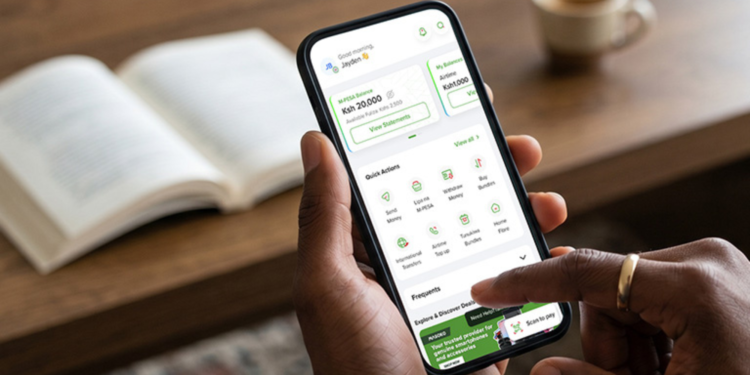
Safaricom’s My OneApp interface on a phone’s display during a transaction. PHOTO/ Safaricom