How to Register an M-Pesa Business
Share
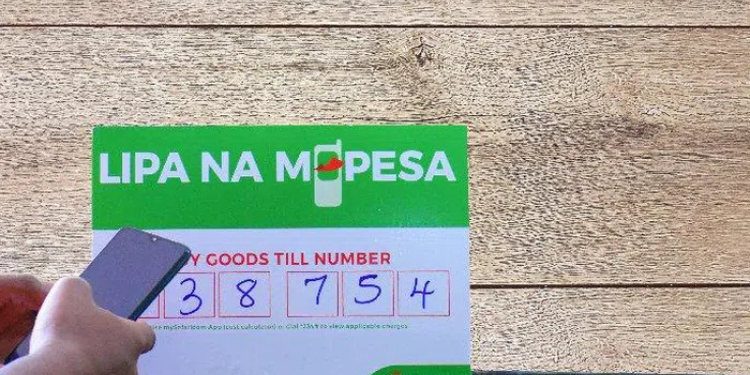
Registering an M-Pesa Business in Kenya allows your enterprise to receive and manage payments electronically, making it easier for customers to pay for goods and services.
This is especially useful for retail stores, service providers, and formally registered businesses seeking a professional mobile payment solution.
There are a variety of M-Pesa business solutions that you can use including M-Pesa Business Tills, Paybill numbers, and Merchant Shortcodes with each having its own requirements and steps to apply.
Before you go through the application process for M-Pesa for Business it is essential that you understand what M-Pesa for business means.
Safaricom’s business solutions allow organizations to receive payments directly into a designated business account or till (an M-Pesa Business account) and to settle funds into their bank account.
You will be able to see a detailed statement showing how much you received as well as access other functionality such as bulk payments or your business portal.
Eligibility and Basic Requirements
To be eligible for an M-Pesa business account, you will usually need to meet the following criteria.
- Registered Business: To apply for an M-Pesa business account, your business must be a registered legal entity in Kenya, either as a sole proprietor, partnership, or company, and have a copy of your certificate of registration or business permit.
- Identification: To open an M-Pesa business account, you must show identification issued by the Government of Kenya as follows: Kenyan Identity Card, Kenyan Passport, or a certified copy of your business ID (like Tax ID or Business License).
- M-Pesa SIM (number): The M-Pesa SIM that you will use to run your M-Pesa business must be registered in the names of the owners or authorized representatives of the business.
- Business Bank Account: To set up a business bank account, you will need to provide evidence (for example, a bank letter, a cancelled cheque) that you have an active corporate bank account in the business’s name in order to receive settlements for your business or pay bills.
- Contact Information: You need to provide a working email address and telephone number to follow up, for verification purposes and communications from Safaricom.
There are some optional additional documents you may want to provide, which will help enhance your application, including any proof you have of your business location and proof of registration that links the businesses owner to the business entity.
Also Read: What Happens If You Die With Money in M-PESA Without Leaving a PIN Number?
The Procedure for Applying
1. Choose Your Product
You will first need to choose between the M-Pesa Business Till, which is suitable for point-of-sale collections, and the Paybill number, which is best for services and recurring payments.
Although both products have different applications, they can be applied in the same way.
2. Gather Required Documentation
Before starting your application process, you must gather the following documentation (you can have either a physical copy or an electronic copy of each document):
- Business Registration Certificate
- National ID/Passport of the owner
- Bank account details (only required when applying for a Paybill account)
- Valid Safaricom Tel Number in the name of the Business Owner (if available)
- The Proof of existence of business (optional)
3. Submit your Application Online or at the Safaricom Retail Store
If you want to apply online, use the Lipa na M-Pesa application portal at www.safaricom.co.ke/lipa-na-m-pesa.
Once you open the website, click on the “Apply Now” butto,n then select products, for example: “Lipa na M-P ESA till.”
Fill out the application and upload all required documentation.
After you submit everything, you can track the status of your application by visiting the application portal to input the phone number you used to create the application and an OTP code.
To apply in person, you can go to any of the many Safaricom branch locations or their business centre and complete your application process by submitting your application form and any other documents needed.
Also Read:Why Buy Bonds Through DhowCSD Instead of a Bank
4. Wait for Safaricom to assess and grant you your paybill/till number for use in making payments.
Safaricom will review your application to determine whether it will grant you a new till or paybill number.
If they approve your application, they will send you your new till or paybill number via SMS, typically within a 3 – 5 business day time frame.
5. And once approved, you will be able to activate your M-Pesa Business Account product.
To activate your Business Till, you can either use the USSD menu by dialing *234# or by using the M-Pesa Business App, where you will configure your secure PIN to allow you to transact.
Follow our WhatsApp channel for instant news updates

Safaricom PLC Headquarters in Nairobi. PHOTO/ NMG.