
How to Easily Access a CRB Clearance Certificate Using Safaricom’s My One App
Share

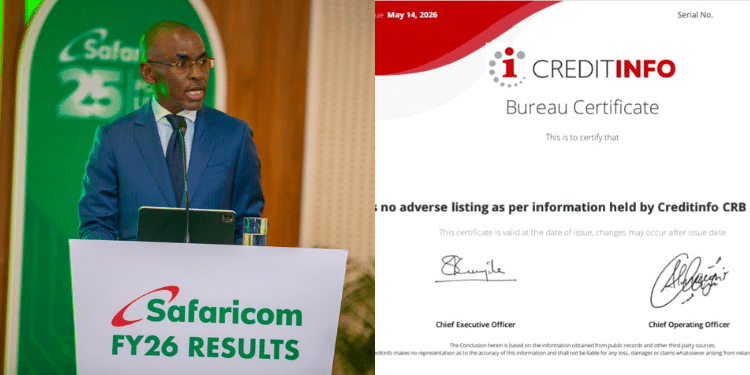
Safaricom has an easier and faster way for Kenyans to access their Credit Reference Bureau (CRB) Clearance Certificate through its newly launched My One App, removing the need for long queues and tedious manual processes.
A CRB is an organisation licensed by the Central Bank of Kenya to collect, analyse and provide credit information on individuals and businesses.
The information is mainly used by lenders when determining whether a person qualifies for a loan.
Step-by-Step Guide to Getting a CRB Certificate via Safaricom My One App
A CRB Clearance Certificate is an important document that shows a person’s credit status. Having a good credit history can improve the chances of getting a loan from financial institutions.
The certificate is also commonly required during job applications, tender applications, and other financial transactions.
Previously, many Kenyans had to physically visit offices of licensed CRBs such as Metropol, TransUnion, or Creditinfo to apply for a clearance certificate.
The process involved filling physical forms, presenting identification documents, manually paying fees, and waiting for verification and processing.
Also Read: Safaricom and M-PESA Foundations Launch Ksh 20 Million Photography and Videography Challenge
Applicants were also required to travel to major towns such as Nairobi to access the services, making the process expensive, tiresome, and time-consuming for many people.
Through the new Safaricom My One App, users can now conveniently access CRB services directly from their smartphones.
The app is available on the Google Play Store and Apple App Store.
After downloading the app, users are required to enter their Safaricom SIM PIN. An OTP code is then sent via SMS to complete registration.
Once registered, users can access various services available on the platform, including financial services.
How to Access the CRB Clearance Certificate
To generate a CRB Clearance Certificate using the app:
- Open the My One App
- Go to “My Finances”
- Click “View All” to display all services
- Scroll down and select “My Credit Report”
- Enter your M-PESA PIN
- Opt into the service
- Accept the terms and conditions
- Select your preferred licensed CRB partner
- Request the CRB Clearance Certificate
- Pay the required fee through M-PESA
After successful payment, the certificate can be downloaded directly from the app.
Cost of Accessing the Certificate
According to the app’s terms and conditions, the first CRB Clearance Certificate is available at a processing fee of Ksh 100.
However, any subsequent certificate requested later in a user’s lifetime will attract a fee of Ksh 2,200.
Also Read: Safaricom Issues Fresh Directive to Customers Over My OneApp Following Massive Complaints
Users can also request a CRB Report through the same platform.
The first CRB report each year costs Ksh 100, while additional reports requested within the same year will cost Ksh 350.
Features Available on the App
The “My Credit Report App” service allows users to:
- Generate CRB Reports easily
- Access CRB Clearance Certificates
- View their credit score
- Receive tips on improving their credit score
- Optionally share their credit score information with selected partners in future
The platform also provides users with a customised credit score ranging between 140 and 600.
Follow our WhatsApp channel for instant news updates
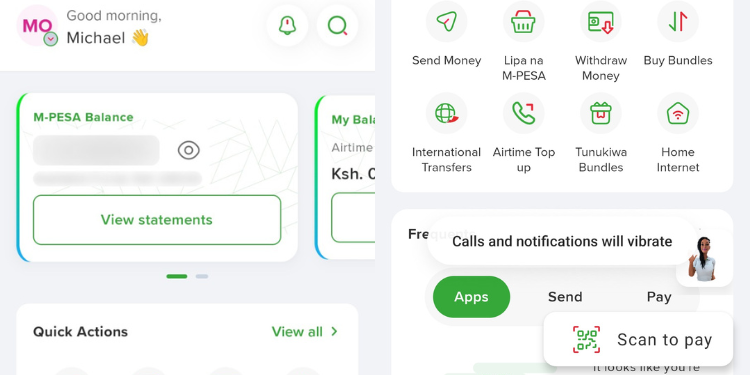
A collage photo Safaricom My OneApp. PHOTO/Michael