How to Track Your Passport Application in Kenya
Share

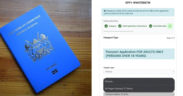
Passport applicants can track their application online through the eCitizen platform, as outlined by the Department of Immigration Services.
Once submitting their application, the system allows them to monitor progress at every stage, from processing and vetting to printing and collection.
By logging into an account and entering the required details, applicants access real-time updates without visiting immigration offices.
Steps to Track Your Passport Application
If you’ve already applied, you don’t need to keep visiting immigration offices or making endless calls just to check your passport status.
Instead, the eCitizen platform gives you a simple way to track your application at every stage, so you always know where it stands.
To get started, follow these steps:
- First, log in to your eCitizen account using your ID number or email and password.
- Next, go to the “Department of Immigration Services” under “Available Services.”
- Then, click on “Passport Application.”
- After that, select “Track Application.”
- Now, enter your application reference number (the one that starts with “PTA”) or your passport number.
- Finally, click “Search” and view your current status.
Also Read: Explainer: How to Replace a Lost Passport in Kenya
Understanding Application Status Stages
As you track your application, you will notice it moves through several stages. To help you understand what each step means, here’s a breakdown:
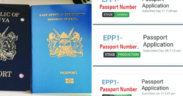
- Loading: The system receives and records your details, biometrics, and documents.
- Vetting: Immigration officers review your background and application details.
- Recommendation: Officers assess your documents and prepare feedback.
- Approval: The department clears your application to move forward.
- Production: The system places your passport in the printing queue.
- Printing: Officers print your passport booklet.
- Receiving / Dispatch: The office prepares your passport for collection.
In some cases, you may see updates like “Pending,” “Processing,” or “Rejected.” These labels give you a quick overview of your application status and whether you need to take action.
Also Read: How to Renew an Expired Kenyan Passport via eCitizen: Full Guide, Fees and Requirements
Other Ways to Track Your Application
If you don’t have reliable internet access, you still have another option by simply sending your application reference number via SMS to 22222, and you will receive a status update on your phone.
Collecting Your Passport
Once your status changes to “Ready for Collection,” you will receive a notification through SMS or email.
After that, visit the immigration office you selected during your application.
Before you leave, make sure you have the required documents:
- Application invoice with the collection token
- Original National ID
- Your old passport (if you were replacing one)
- A birth certificate for minors
Finally, collect your passport as soon as you receive the notification to avoid delays.
This also helps reduce congestion and prevents the build-up of uncollected passports at immigration offices.
Follow our WhatsApp channel for instant news updates

A collage photo of Kenyans holding an EAC Passport. PHOTO/ Varsity Scope